Xero integration: from accounting data to trusted reports
Explore a Xero integration that keeps raw data and lets your team define reports. Understand sync, data coverage and the trade-offs before choosing.
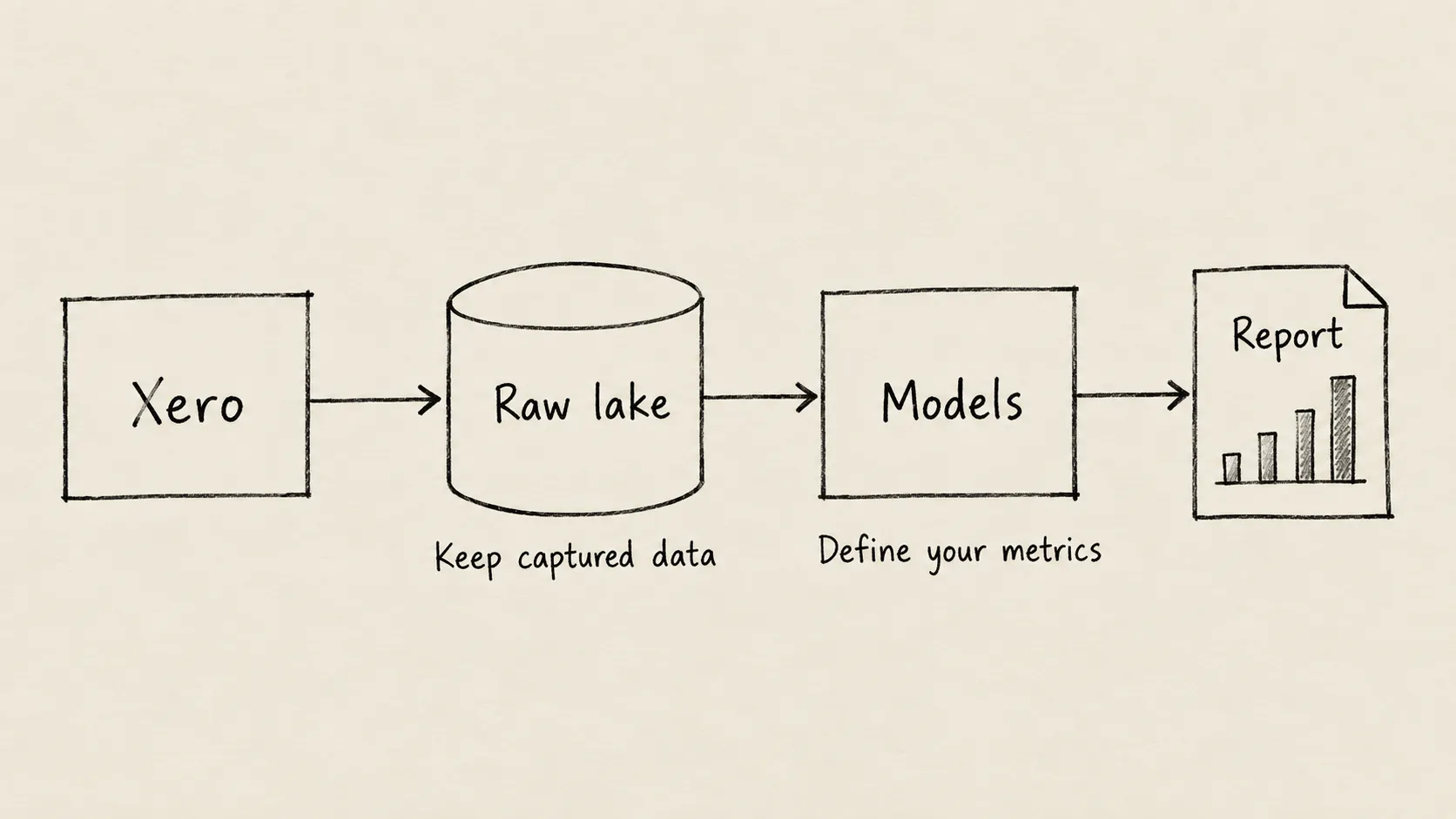
A Xero integration becomes useful when the business needs answers that routine exports cannot reliably provide. Finance may want a consistent view of overdue invoices, while operations wants to connect payments with work delivered. If every report starts with another download and another spreadsheet cleanup, the team spends time reconstructing the evidence before it can discuss what the numbers mean.
Moving data into Postgres can make that work repeatable, but movement alone does not make a report trustworthy. You also need to know what was collected, how recently it was checked, and whose definition of a metric the report uses. Undercroft separates those responsibilities so your team can examine each one.
How does a Xero integration support better reporting?
Think of the reporting process as an archive and a working desk. The archive keeps the source material you collected. The desk holds the version you organise and calculate from today. Changing the layout of the desk should not require throwing away the archive.
Undercroft follows that idea. Its Xero connector reads the selected organisation with permission, keeps the captured data in a raw data lake, and makes it available in Postgres. Your team then uses dbt models to define the information that reports present. A model is the agreed set of rules that turns source records into a useful business view.
This is an ELT approach: collect and store data before applying reporting definitions. It lets finance and engineering revise those definitions as questions change. The ETL versus ELT comparison explains the choice in more detail.
Why keep raw Xero data before building reports?
An accounting record can change after you first read it. If your only copy is the latest reporting result, it can be difficult to separate a source edit from a change in your calculation.
The raw lake preserves captured versions without overwriting them in place. Reading the same unchanged content again does not create another stored copy; changed content produces a new version. Postgres provides the current working view and can be rebuilt from the retained raw data.
That gives the team a basis for investigating discrepancies and rebuilding models without fetching the same captured material from Xero again. It does not recover changes that happened between reads or before collection began, and retained history still depends on retention policy. The immutable raw data lake guide explains why this distinction matters.
What Xero data can you use for analytics?
The connector covers familiar accounting material, including invoices, credit notes, payments, contacts, purchase orders, bank transactions and manual journals. It also reads supporting information such as the chart of accounts, tax rates and currencies. What actually arrives depends on what your team selects and what access it grants.
Coverage should follow the business question. Receivables analysis needs relevant invoices and payment information, together with a clear treatment of due dates and document status. A headline contact balance is not necessarily an equivalent answer to an invoice-based calculation.
There is also a material boundary: manual journal coverage is not a complete export of every system-generated journal entry. If your project requires a complete general ledger export, establish whether the available data meets that requirement before adopting this approach. A long list of supported data categories is no substitute for that check.
How fresh is Xero data after a sync?
Undercroft reads Xero on a schedule or when someone requests a sync. Where Xero supports change filtering, later reads ask for changes since the last completed read. This incremental sync reduces repeated work. Progress is only advanced after a data category has been read completely, so an interrupted read is not treated as finished.
However, Xero’s change filter does not expose every edit. Some changes to due dates or contact information can escape an incremental read. Running that same kind of sync more often does not solve the blind spot.
Undercroft offers an optional schedule for full re-syncs: reading the selected data again to find differences. Your team must choose to enable it. Unchanged content remains unchanged in storage, while newly observed content becomes another captured version.
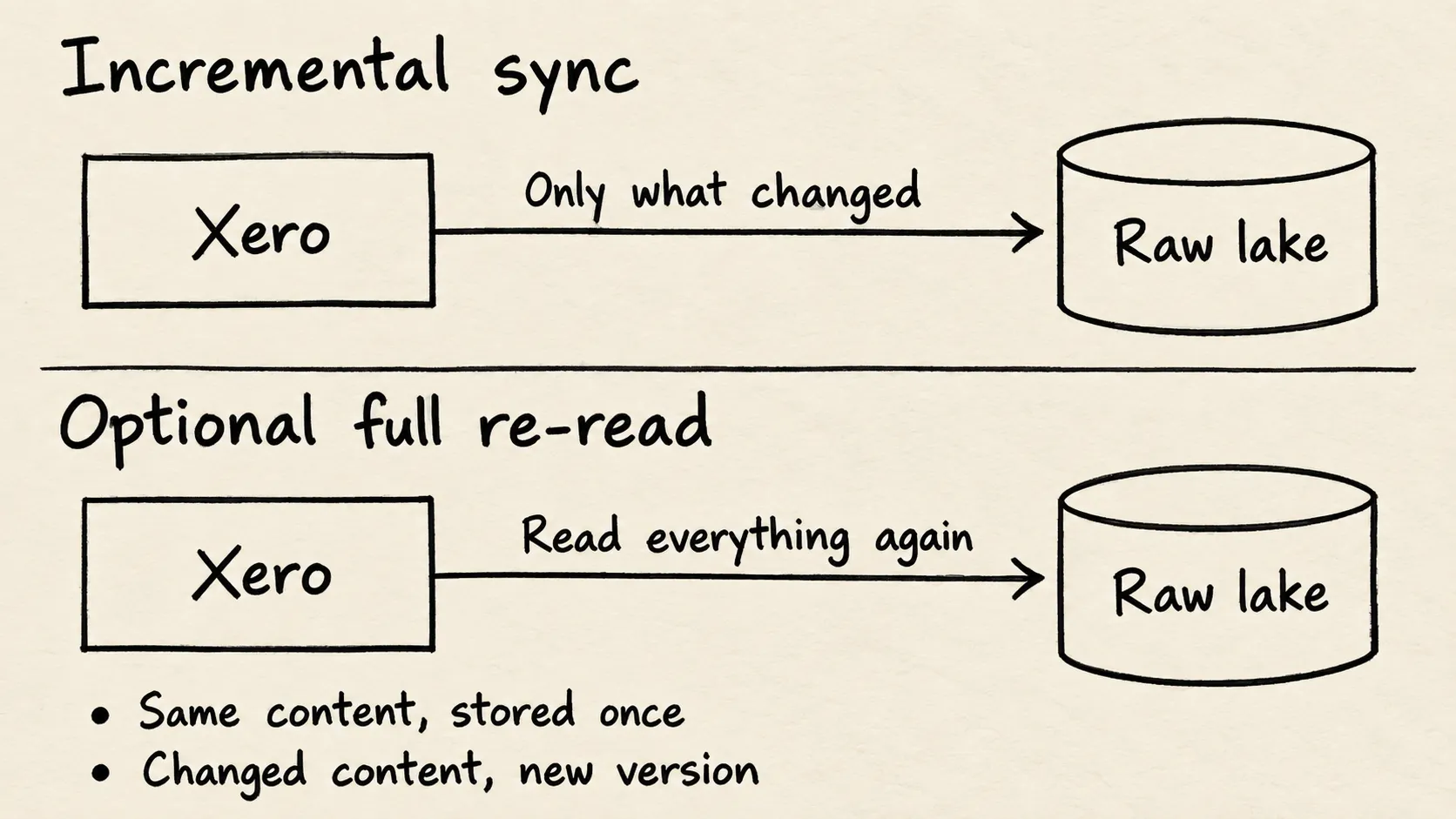
Full reads take time and consume more of Xero’s available reading capacity. Undercroft limits that work to leave room for ordinary change reads, so some work may be postponed. A completed run can therefore coexist with a data category still waiting for a full refresh. Review the sync record and warnings before treating a report as current.
When is this approach a good fit for your team?
It fits teams that want control over captured data and reporting definitions, with engineering capacity to support both. Finance owns the meaning of measures; engineering turns those decisions into models and operates the platform. The Xero reporting guide explores that shared responsibility.
| If your priority is… | Consider the trade-off |
|---|---|
| Revising metrics as the business changes | Retained raw data helps, but your team still owns the definitions. |
| Controlling storage and operation | A self-hosted platform brings maintenance responsibilities. |
| Getting a finished dashboard immediately | Undercroft requires your own business models. |
| Seeing every edit immediately | Scheduled reads and full re-syncs cannot promise this. |
Undercroft supplies no predefined accounting business schema. For an overdue-invoice report, your team must agree which documents count, how payments affect the result, and how currencies are handled. Missing amounts must stay visibly missing rather than becoming zero. These decisions determine whether a polished dashboard is useful.
The project is open-source and describes itself as pre-alpha. Evaluate its maturity alongside its architecture. If you need a turnkey reporting service or lack someone to operate the platform and maintain models, this approach may create more work than it removes.
How do you get started with Undercroft and Xero?
Start with a reporting question and agree what evidence would make the answer trustworthy. Explore Undercroft, review the open-source repository, and use the Xero setup guide for connection instructions. Evaluate data coverage and refresh behaviour before relying on the resulting report.
FAQ
Can I connect Xero to Postgres without building a connector?
Yes, Undercroft includes a Xero connector. Your team still authorises access and creates the models that define its reports.
Is a Xero integration real-time?
This integration uses scheduled or manually requested reads. Some edits require a full re-read, so it does not promise immediate visibility of every change.
Can I export the complete Xero general ledger?
The connector includes manual journals, but not the separate system journal feed. Do not treat that coverage as a complete general ledger export.
Does a successful sync mean my Xero report is up to date?
Not necessarily: some data may lack permission or be waiting for a full refresh. Check the sync warnings and confirm that the data your report needs was actually read.